top of page
interracial-podcaster-is-sitting-in-a-home-broadca-2025-03-31-12-20-23-utc 1.png

Your AI Producer for Live, Viral Podcasting​

Liyam helps you stay on track, generate real-time follow-ups, add visuals without pausing, and turn viral moments into clips fast.


interracial-podcaster-is-sitting-in-a-home-broadca-2025-03-31-12-20-23-utc 1.png
Liyam - SVG logo - watermark.png

Say Hello To Liyam

When you record solo or with a small team, someone still ends up doing the crew work: producing, researching, tracking time, editing, and thinking ahead to distribution and marketing. 


But that all comes at a cost. Episodes go off-topic, dead air shows up, great follow-up questions are missed, and standout moments are buried in the footage.

Liyam gives you crew power while you record so the episode is stronger before editing even starts.

viral-engagement.png

Real-time Viral Questions

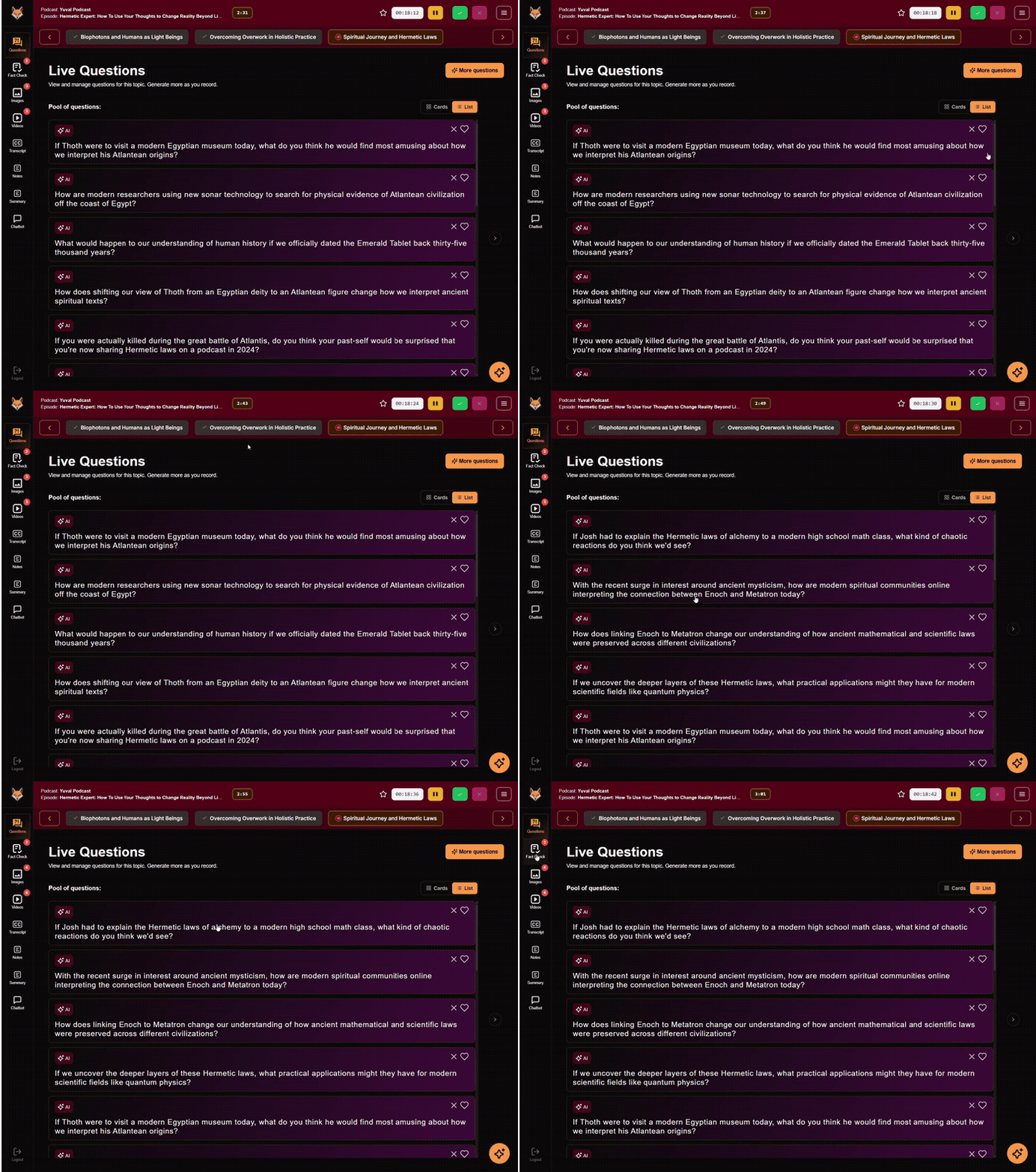
Generates follow-up questions in real time based on what’s being said, plus optional cues from what’s trending. 

instant-access.png

Find Media
Fast

Call up relevant articles, images, and clips while you're recording, so you can grab context fast without losing momentum.

live-content.png

Embedded ​Media Overlays

Create images and videos from the live conversation, and display them on additional screens. Media overlays auto-sync on screen as you talk.

viral-moment.png

On-Screen Script

Keep your run-of-show and questions on screen while you record, organized by topic so you’re not flipping between papers, tabs or a tablet mid-episode.

content-management 1.png

Viral Clip Creation

Automatically identify the moments most likely to get shared, then generate clips quickly, with captions and post-ready text.

How it works

1. Plan Your Podcast

image1.png

From outline to on-air

Planning, recording, and clipping usually live in separate tools and end up happening on separate days. Liyam brings it into one workflow.


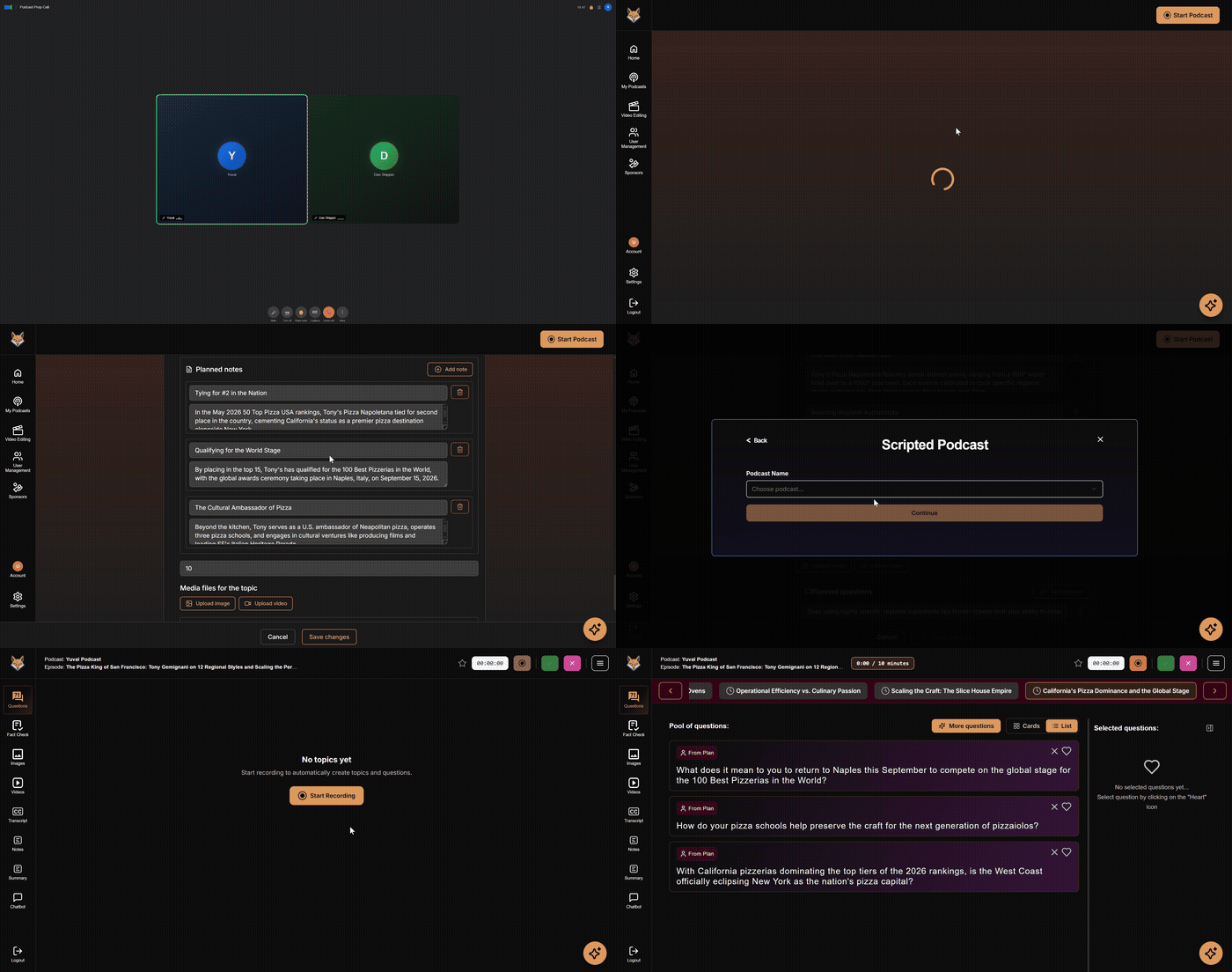
Build a run-of-show with topics, timing, guest notes, and optional scripted guidance so you get structure when you want it, freedom when you don’t.

2. Record Your Podcast

image2.png

Record with an AI crew

Recording is the moment that matters and it’s also where podcasters feel the lack of a crew. Liyam acts as your live producer with real-time follow-up questions based on your conversation , so you don’t leave the session thinking, “I should’ve asked that.”


Optional prompts help with pacing and structure, and when you reference or fact-check something, you can bring it on screen with embedded media overlays without breaking momentum.

3. Clip and Promote

From recording to ready-to-share

Bring images and videos on screen during recording, and keep them in the final video. Then Liyam auto-detects the most watchable moments, generates summaries, adds subtitles, and exports clips in minutes.

Better clips — not more clips — so you share the moments that earn attention, drive clicks, and bring people back to the full episode.

image3.png

See it in action

Meet your AI crew in 60 seconds

FAQs

  • Liyam is your AI producer for live podcasting (both audio and video). It supports you during recording with real-time follow-up questions and on-screen media you can reference in the moment, then helps you move faster from a full episode to shareable clips.

  • No. Liyam runs in the browser alongside your current setup, so you can keep using the recording tools you already like and add Liyam as “producer support” during the session.

  • Not exactly. Liyam is a web-based app and includes a Chrome extension, so it fits into a modern, browser-based recording workflow without requiring a full platform change.

  • While you’re recording, Liyam listens to the conversation and suggests follow-up questions based on what was just said. Think: better probes, sharper clarifiers, and useful pivots  without stopping to plan the next move mid-episode.

  • Embedded media overlays are on-screen visuals you can show while you record, like an article, image, or clip that adds context to what you’re discussing. Instead of telling people “go look it up,” you can show it at the right moment, then keep the conversation moving.

  • No. It’s not trying to replace a full editor timeline. It’s designed to make the recording itself stronger and reduce the work required to get to clean, shareable highlights.

  • No. It suggests; you choose what to use.

  • Liyam can help you pull up sources and add context quickly, which supports better on-air accuracy. While we try to be as accurate as possible, you’re still in charge of what you say on the record, especially for anything sensitive or time-critical.

  • Yes. There’s a free option so you can test the workflow before upgrading.

  • Liyam has a privacy policy and clear terms. If you have specific requirements (client work, studio policies, or sensitive topics), contact us and we’ll walk you through what’s stored, what’s not, and what your options are.

Get in touch

Contact us to book a quick walkthrough of Liyam or discuss your workflow. Tell us what you’re recording and how you record it, and we’ll recommend the best way to get started.

bottom of page